Home → Demo
Onori on iPhone & Mac · November 2026
Two people.
One budget.
A shared view of everyday spending. One number for the days until payday. And, on Mac, an optional connection to ask your own assistant about the numbers.
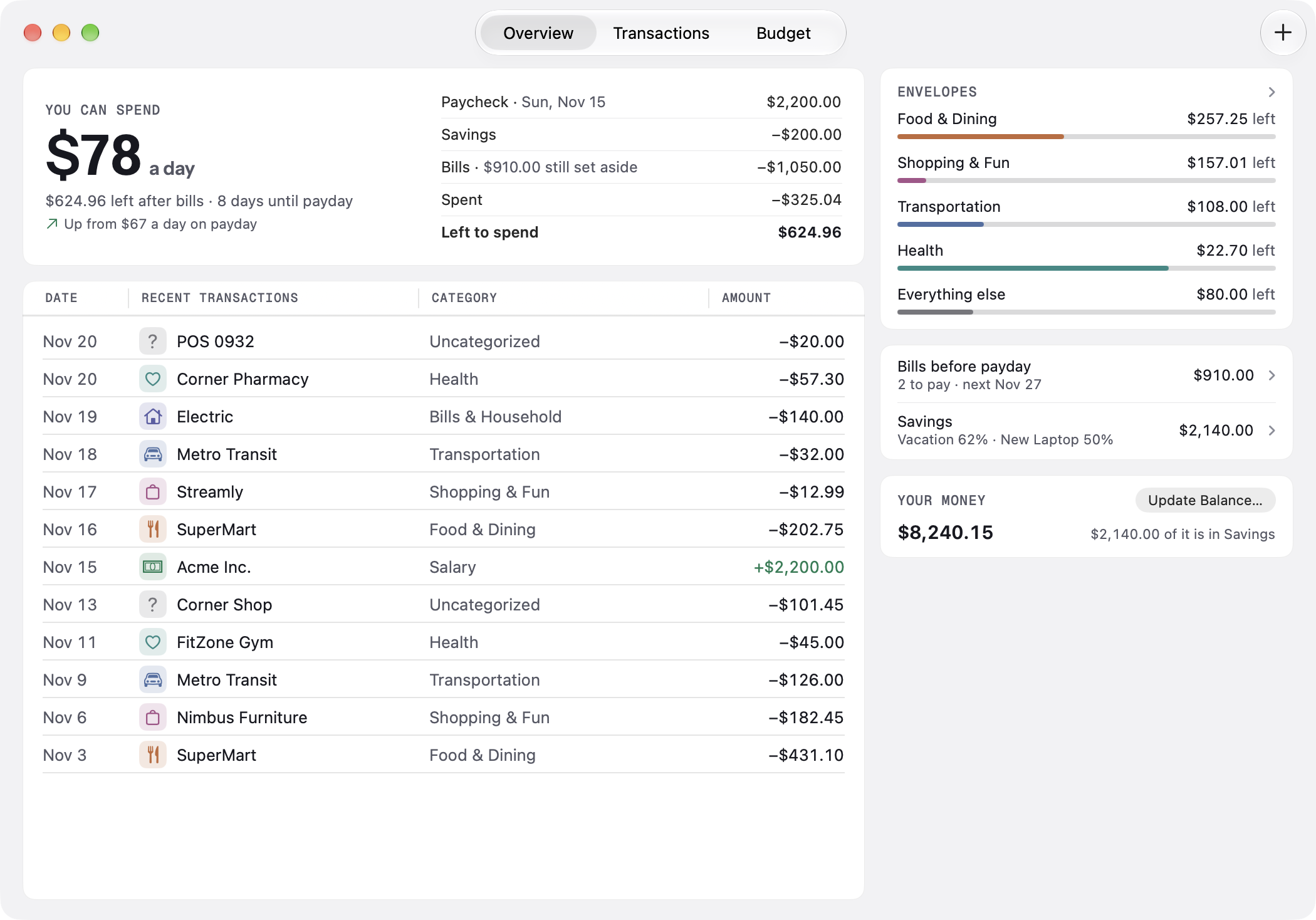
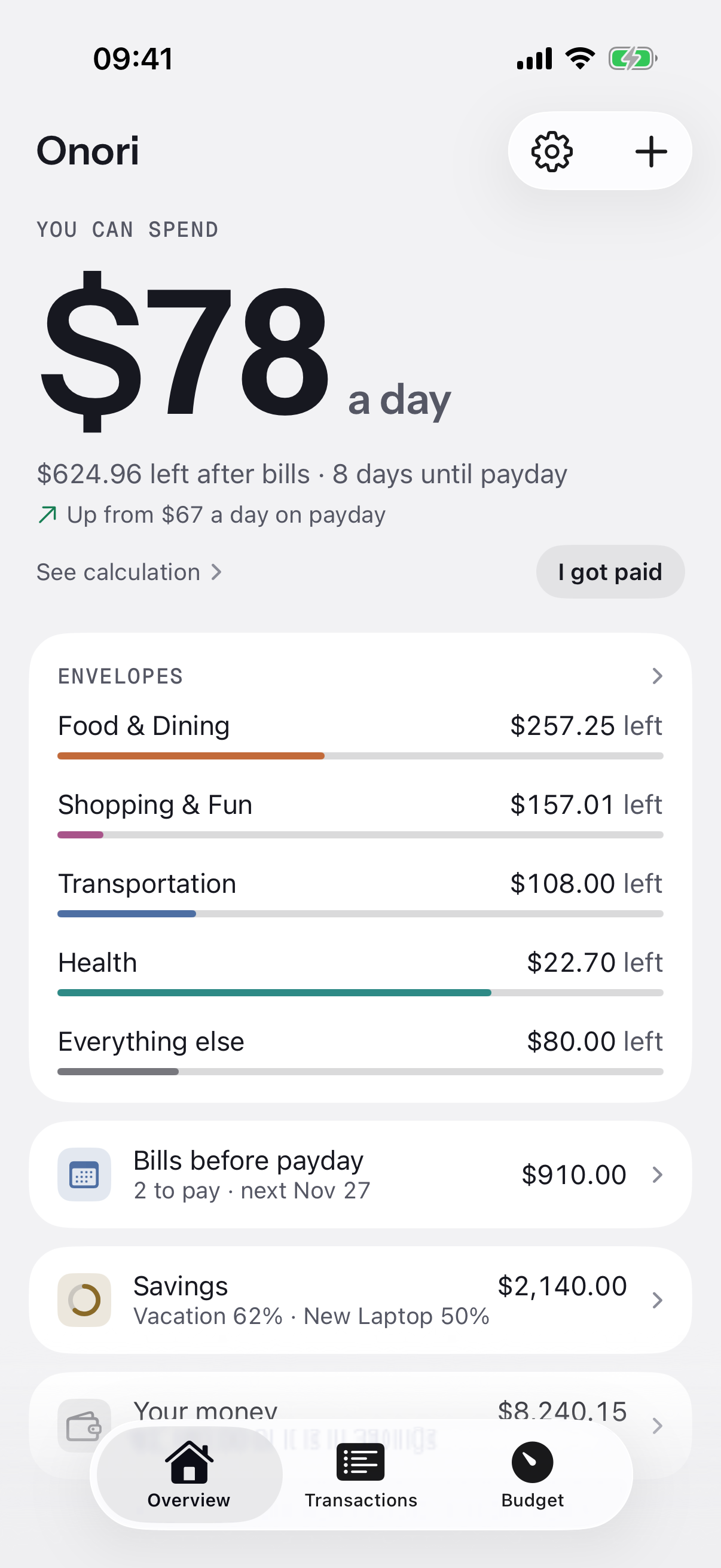
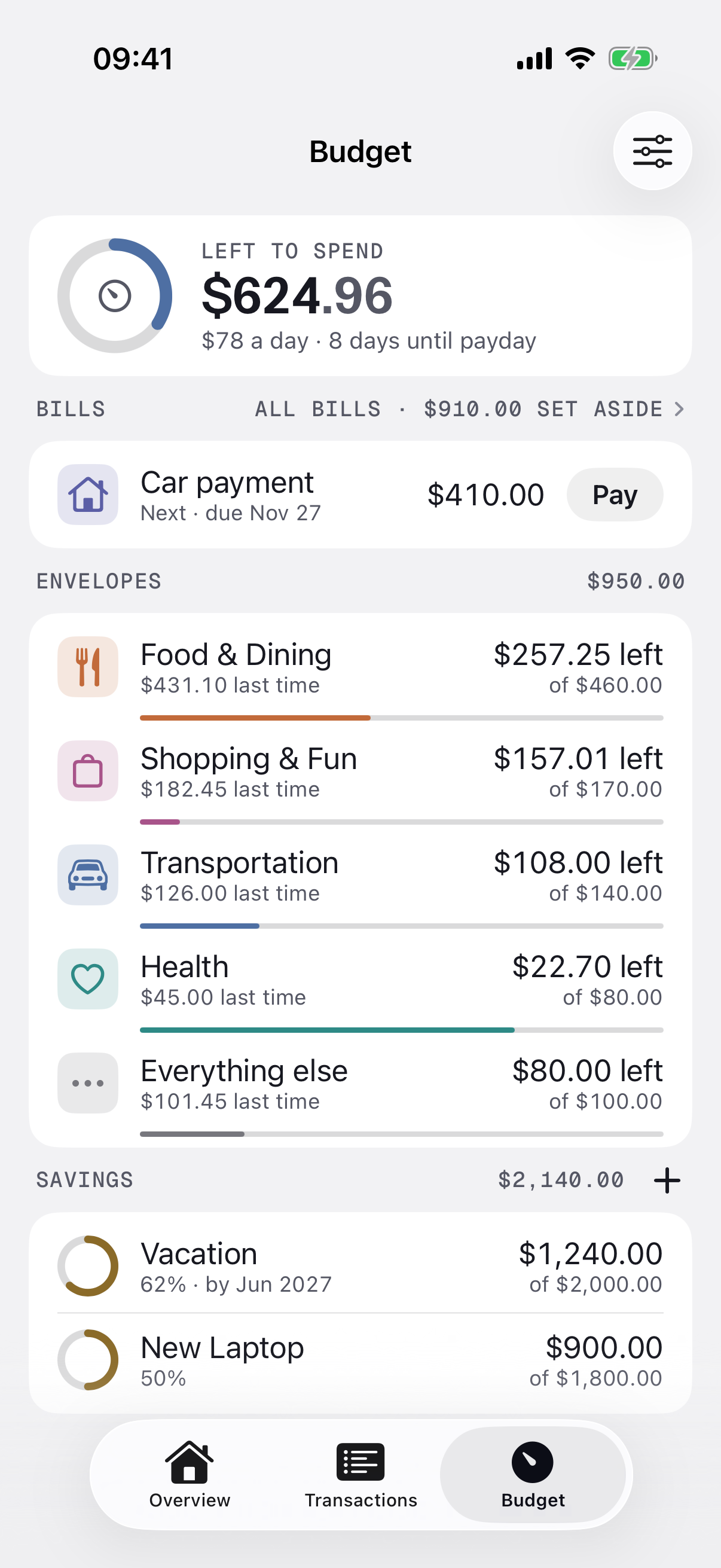
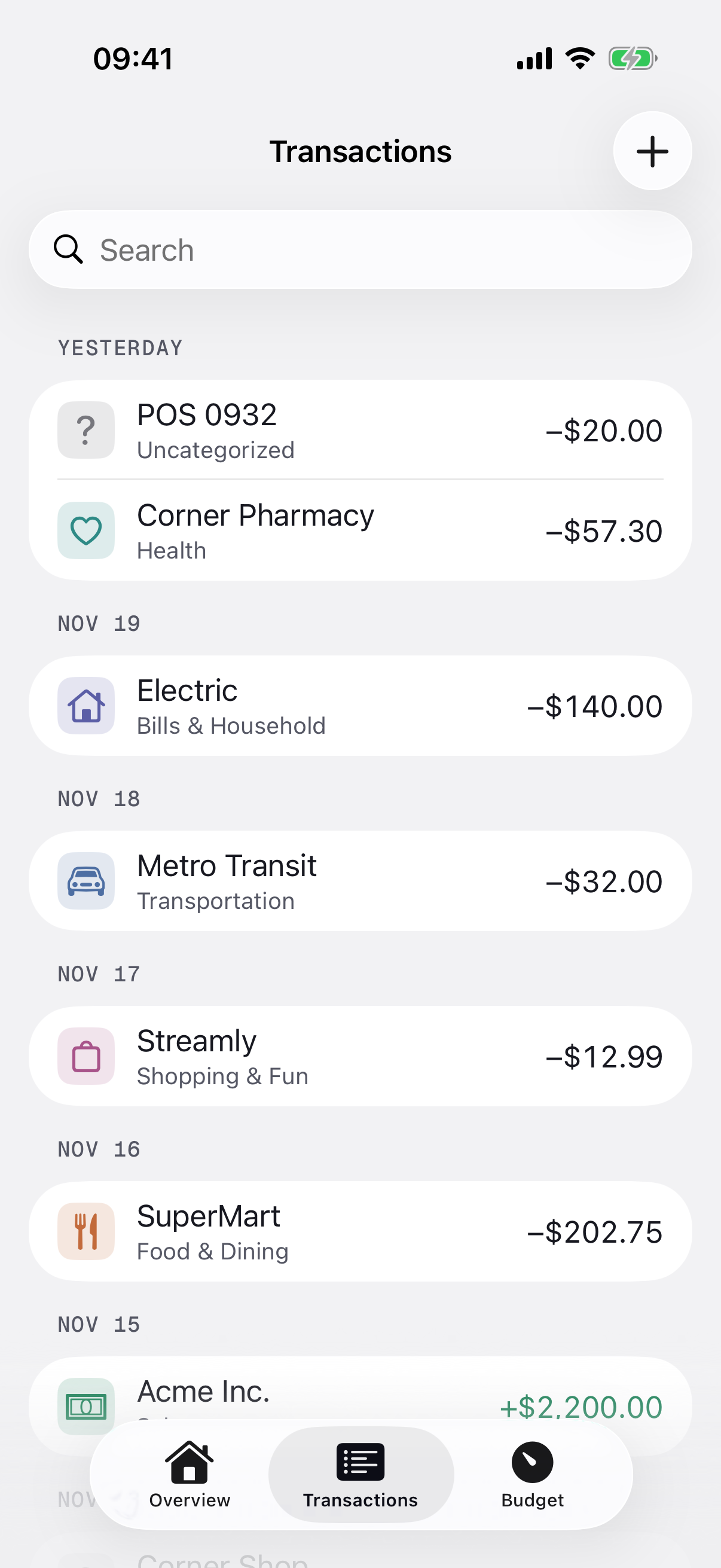
Real Onori screens from a development build, captured 21 November 2026. All amounts shown are synthetic demonstration data. Click an image for full resolution.
Your everyday spending, together.
Record purchases, follow the envelopes and see what is left until payday. Share a household ledger with your partner through your own iCloud accounts. Inviting is part of Onori Plus, and joining is free; see how sharing works.
On the Mac · optional
Ask about your money.
With Assistant Access, Claude or ChatGPT on your Mac can read your ledger through a local, read-only connection and answer questions about it.
Asked how much was spent since payday in the sample ledger, the right answer is $325.04: five purchases, not counting the bill that was paid. It is the same figure the Mac app shows on its Spent line.
An illustration with the sample ledger's numbers, not a recording. An assistant words its own answers.
$325.04
| Date | Merchant | Amount |
|---|---|---|
| Nov 16 | SuperMart | $202.75 |
| Nov 17 | Streamly | $12.99 |
| Nov 18 | Metro Transit | $32.00 |
| Nov 20 | Corner Pharmacy | $57.30 |
| Nov 20 | POS 0932 | $20.00 |
The purchases in the sample ledger since its payday, 15 November.
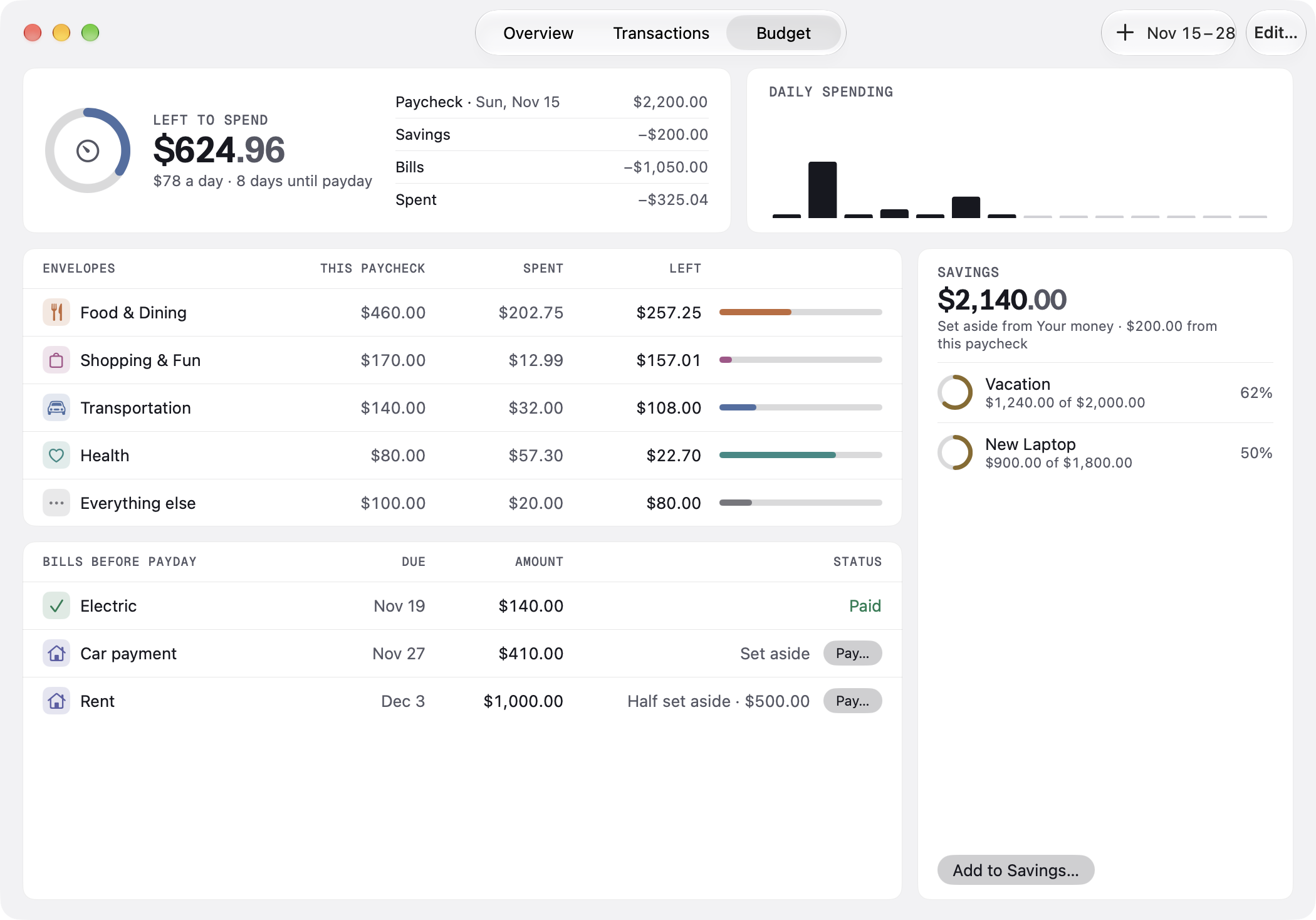
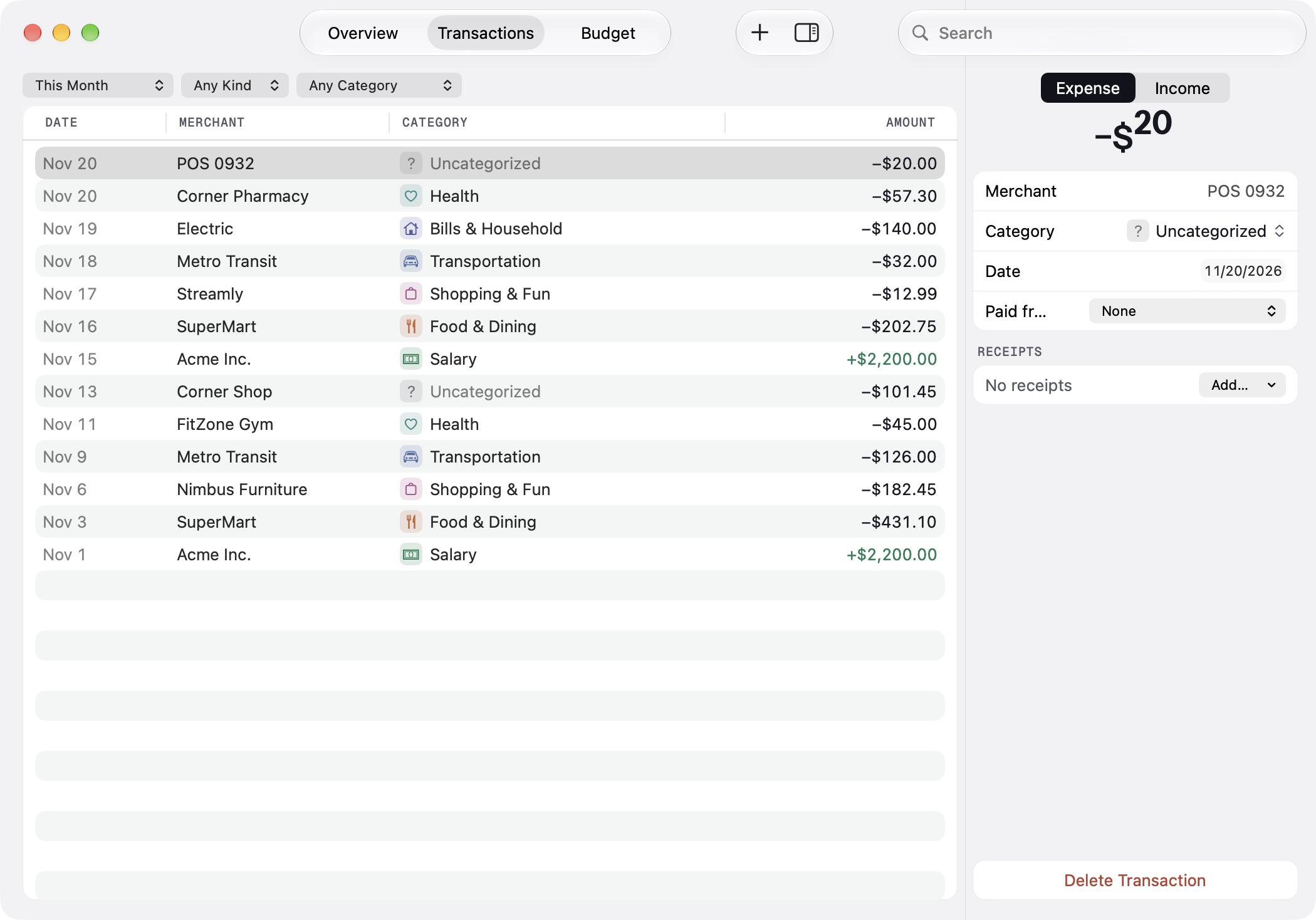
You choose what
it can read.
Connect Claude or ChatGPT on your Mac from Onori's Assistants settings. The connection is read-only: an assistant cannot change your ledger, and Onori has to be open and unlocked while it reads.
Assistant Access is optional, a separate one-time purchase, and needs setup. What you permit is sent to the assistant's AI provider. Read the privacy policy.
| Access | Read-only |
| Always included | Amounts, dates, categories |
| Only if you switch it on | Merchant names |
| Changes to your ledger | None, ever |
For editors & curious people.
Onori is built by Harut Aristakesyan in Yerevan, Armenia, and used by his family for their own budget. It is available in English, German and Russian.
This demo contains real still captures with fictional data. The iPhone and Mac ledgers were seeded separately; these images do not demonstrate a live iCloud synchronization session.
Includes seven original captures, the app icon and the fact sheet. For questions: support@onori.money.